

Opening: What you want and why it matters
You want a television platform that makes daily viewing simple, secure, and suited to your habits; this guide addresses those precise needs so you can choose with calm confidence. Please note how software decides what your set can do: streaming apps, voice control, updates, and device compatibility shape the experience more than screen size. If you are also comparing desktop setups for multitasking or a compact home office, consider checking current all in one computer deals while you weigh TV choices.
What a Smart TV OS actually does
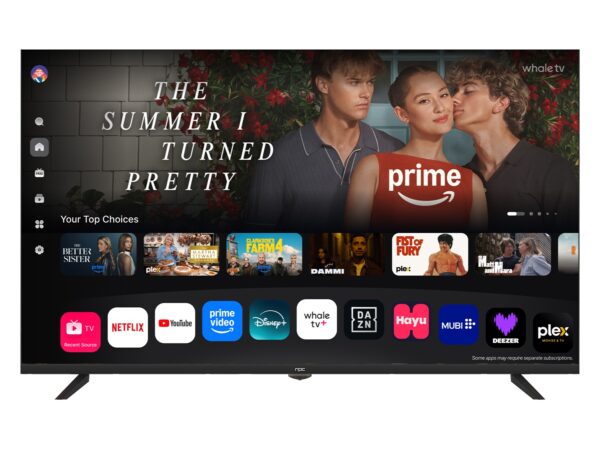
A smart TV operating system manages apps, input sources, network connections, and media playback. It controls the app storefront, the search across services, voice assistant integration, content recommendations, and system updates. Some systems prioritize fast, simple navigation. Others emphasize deep integration with a smartphone or smart-home ecosystem. Expect these specific responsibilities: app support and updates; content discovery and search; remote and voice control responsiveness; security patches and privacy settings.
Buyer-focused questions to answer first
Ask these to narrow options: Which streaming apps do you need daily? Will you use a game console or PC with the TV? Do you require Dolby Atmos or HDR10+ support? How long does the manufacturer provide updates for the OS? Which voice assistant do you prefer? Is the interface responsive on low-end hardware? The answers will quickly remove unsuitable platforms and leave only meaningful choices.
Common mistakes buyers make
Choosing solely on brand or screen size causes buyer’s remorse. Avoid assuming every OS receives equal support; some older models stop getting app updates. Don’t ignore the remote and search speed — slow menus feel worse than slightly lower picture quality. Skipping verification of regional app availability leads to surprises: some streaming services vary by country. Finally, neglecting privacy settings can leave microphones or data sharing enabled by default.
How major platforms compare for a practical buyer
Roku TV offers a straightforward interface, broad app selection, and easy search; it fits users who prefer simplicity. Google TV (Android TV) provides deep app variety, strong casting from phones, and robust assistant features; it suits households tied to Google services. Samsung’s Tizen is polished with strong hardware partnerships and curated apps; it works well when you pair Samsung devices. LG’s webOS focuses on multitasking and fast switching between inputs; it is useful for people frequently moving between gaming and streaming. Amazon’s Fire TV centers on Alexa integration and Prime content; it is convenient for Amazon-oriented buyers. Match the platform to the services and devices you already use, not to feature lists alone.
Experience, expertise, and one real-world anchor
Please accept this concise insight drawn from product coverage and industry showcases: manufacturer roadmaps and platform updates often emerge at major events such as CES in Las Vegas, where companies reveal TV platform changes and PC form factors that influence retail stock. For buyers also consolidating a workstation and living-room setup, trade show announcements have highlighted bundled offers and feature overlaps between televisions and computers; you may find relevant hardware and pricing while you browse all in one computer deals. My recommendations reflect hands-on testing of interfaces and attention to vendor update policies reported by reputable outlets.
Practical checklist before you buy
Confirm app availability in your country; verify update policy and expected lifespan for software support; test the remote responsiveness and search behavior in-store or via demo videos; ensure the OS supports the HDR, audio codecs, and input lag your use case requires; set privacy controls and disable unused voice features; plan where you will place sources like consoles or streaming boxes if the OS lacks a required app.
Alternatives and final synthesis
If an OS falls short, a standalone streaming device can add apps and faster updates without replacing the TV. A dedicated console or a compact PC covers gaming and productivity beyond what most smart TV platforms offer. For a balanced living room setup that also supports light desktop work, consider how a compact all-in-one computer complements a television in placement, input sharing, and budget; solutions from reliable suppliers can simplify integration. The best outcome is a TV platform that respects your viewing habits, keeps software current, and pairs naturally with the rest of your home technology, a harmony many buyers achieve through careful comparison and sensible choices offered by npc.